 491 Blog_views
Back in 2021-2022, webmasters approached app localization by simply using Google Translate and adding a target geo flag to creatives. Today, however, the battle for users has shifted from the realm of "access" to the realm of "experience." Buyers increasingly encounter a paradox where creatives deliver cheap clicks, the technical side works flawlessly, but installs are low or nonexistent. The reason for such situations often isn't in the text, but precisely in the disconnect between users' visual expectations and the reality they see on their smartphone screens.
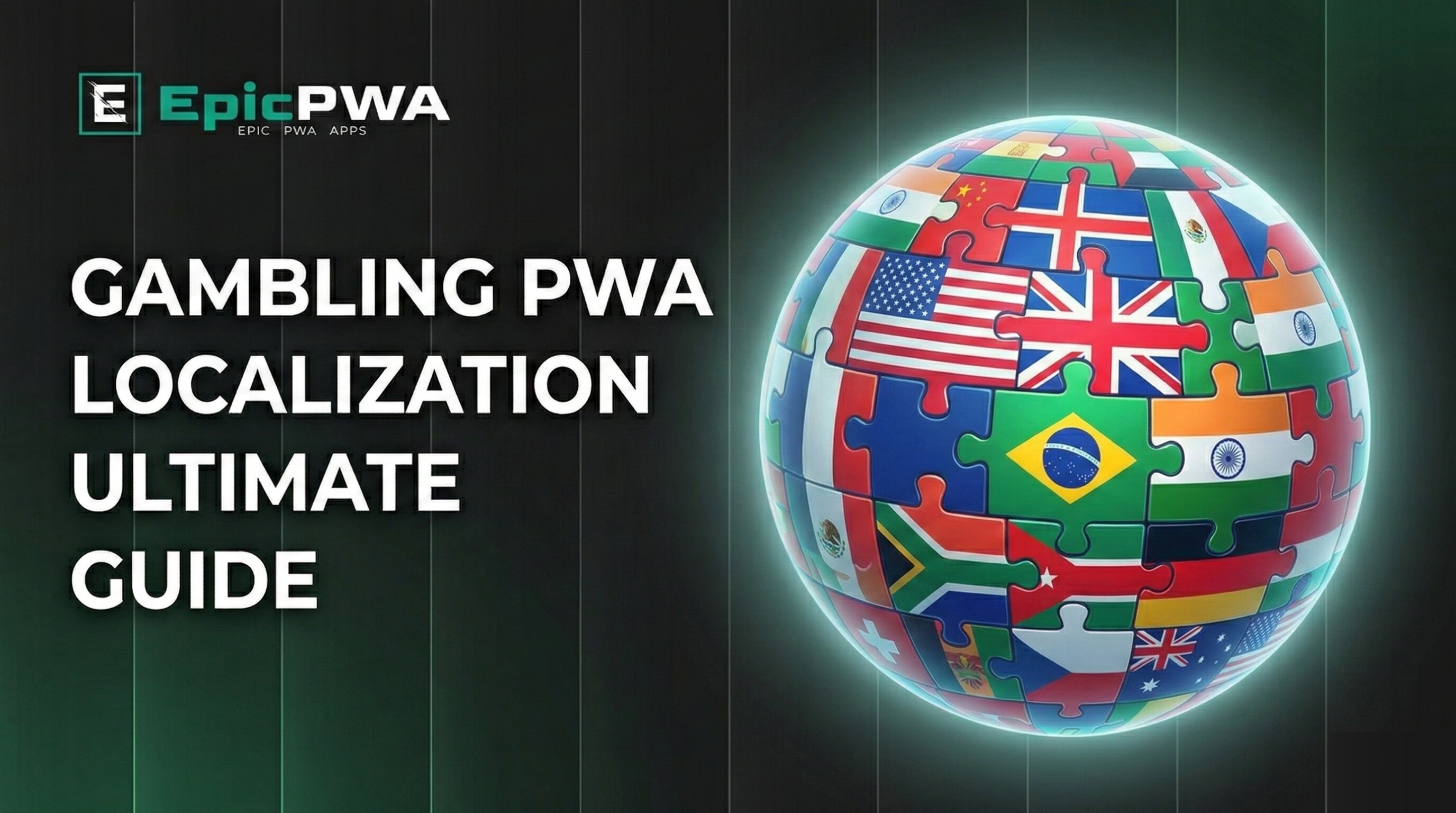
The key success factor is adapting PWAs to the "cultural code" and habits of the audience. Users must feel that the application was created specifically for them, not hastily ported from another region. In this article, we'll examine how to properly localize gambling PWAs using EpicPWA tools to reduce CPA by 20-30% and increase conversion at every stage of the funnel.
1. Visual Localization: Choosing the Right Template
The first 3 seconds of interaction with a PWA is pure psychophysiology. The first thing users' conscious and subconscious minds do is read the color scheme and structure, marking content as "native" or "foreign." Arbitrage specialists, in their pursuit of scaling, often make the mistake of trying to scale European minimalism globally or, conversely, pouring garish Asian layouts onto DACH audiences.
Latin America (Brazil, Chile, Peru)
In Brazil, Chile, Peru, and other Latin American geos, gambling is perceived as an emotional explosion and instant social elevator. Pastel tones or strict "banking" design convert very poorly here. The local target audience responds to apps with designs that literally scream about celebration, fun, and dopamine tsunamis.
What works:
- Aggressive green, canary yellow, and purple shades
- Large accent elements
- 3D effects and gloss imitation
- High contrast
How to choose in EpicPWA: In the "Template" section, use tag search to find bright options from the library of 85+ ready-made templates. Pay attention to the preview on the right—the template should literally "scream" about fun. Sterile design on the South American continent is mostly perceived as the service lacking funds.
Asia (Japan, Vietnam, Thailand, India)
Looking at a typical Asian interface, a European buyer sees chaos with dozens of banners and walls of text without whitespace. But for users from most Asian regions, such information density serves as a sign of quality and reliability. Too much empty screen space can be perceived by local players as developer incompetence or outright scam.
What works:
- "Noisy" design versions with dense content
- Gold and red colors as luck markers (Vietnam/Thailand)
- Avoiding black and white combinations (associated with mourning in Japan)
- Rich graphics
How to choose in EpicPWA: When selecting templates for Asian geos, prefer options with maximum information density. Minimalist designs with lots of white space don't work here.
DACH and Scandinavia (Germany, Austria, Norway)
Audiences in Germany, Austria, or Norway seek safety even in entertainment. Of course, aggressive gambling app design also converts well here, but any "flashers" and acid colors are more often perceived as signs of cheap scams.
What works:
- Maximum trustworthy and premium appearance
- Clear element hierarchy
- Standard sans-serif fonts
- Restrained color palette
How to choose in EpicPWA: For maximum design localization for these demanding regions, choose templates with clean design resembling neobanks. The PWA should look as trustworthy and premium as possible.
2. Text Localization: More Than Just Translation
Multilingual System in EpicPWA
In the "Application" section, the EpicPWA platform allows you to create complete localizations for each target market. By clicking the add localization button, you can select the desired language and adapt all text elements: title, description, buttons, metadata.
Developer Name — A Critical Detail
Another detail where many beginners' campaigns fail is the developer or publisher name in the form of a small line under the application name. Users from Tier-1 and even Tier-2 countries often pay attention to the "officiality" of software.
Legal abbreviations by region:
USA/Britain/Oceania: LLC or Ltd (e.g., "NeonGaming LLC")
Germany/Austria: GmbH (e.g., "Glücksspiel Entertainment GmbH")
Brazil/LatAm: Ltda or S.A. (e.g., "Brasil Gaming Ltda")
India: Pvt Ltd (e.g., "Star Gaming India Pvt Ltd")
Where to configure: In the "Application" section → "Basic" block → "Author" field. This micro-detail acts on the player's subconscious like a notary's seal, essentially saying "this is a legal company and app, you can transfer money."
Application Description for Mentality
The description should be adapted not just by language, but by semantic emphasis:
For Latin America: Emotional triggers, promises of quick wins, bright phrasing.
"🎰 Ganhe MILHÕES jogando! Bônus de 200% no primeiro depósito! Saques instantâneos via PIX!"
For Europe: Focus on security, legality, responsible gaming.
"Sicheres Online-Casino mit deutscher Lizenz. Faire Gewinnchancen und schnelle Auszahlungen."
For Asia: Reliability, functionality, support for local payment systems.
"India's #1 Casino App! Win Real Money! UPI, Paytm, PhonePe Payment Support. Fast Withdrawals!"
Where to configure: In the "Application" section → "Basic" block → "Description" field. To the right of the field is the "✨ Generate" button—an AI function that automatically creates a description based on the selected category and language. After generation, be sure to review the text and adapt it to the geo's specifics.
Button and Interface Localization
Don't forget to localize interface element text:
"Application" section → "Install Button" block: Install — install button text ("Install", "Instalar", "Installieren")
Initialization — preparation process ("Initializing", "Inicializando")
Download — download process ("Downloading", "Descargando")
Open — app launch ("Open", "Abrir", "Öffnen")
Use natural language formulations, not mechanical translation.
3. Social Proof: Building Trust Through Reviews
Even in an app with maximally localized design, user trust can collapse when they read the first 1-2 comments in the style of "oh, what a wonderful casino! Bonuses on almost every spin!" Gamblers, even in top-tier geos, often don't notice minor design flaws, but they instinctively sense fake reviews.
Realistic Author Names
Review author names should correspond to popular name statistics in the region from 25-35 years ago, as this is currently the average age of the core target audience.
Examples of correct names:
Brazil: João Silva Santos Ana Souza Oliveira Carlos da Silva Maria Santos
Use local double names or compound surnames.
India: Rajesh Kumar Priya Sharma Amit Patel Deepak Singh
Use classic pan-Indian names, avoiding strong regional specificity.
Thailand: Somchai Wongsakul Nattapong Siripong Siriporn Chaiyawat
Use long, characteristic Thai names.
Germany: Michael Weber Anna Schmidt Thomas Müller Julia Schneider
Where to configure: "Comments" section → "+ Add comment" button → "Author" field.
Avatars: Ethnic Correspondence and Realism
If running traffic to Nigeria, avatars in 90% of reviews should belong to Black users. Moreover, these commenters shouldn't be in business suits, but in regular clothing against recognizable local architecture or everyday life backgrounds. For Vietnam, you need Asian faces of specifically Vietnamese, not Japanese or Korean, phenotype (there is a difference, and it's obvious to locals).
Important: A bunch of perfect pictures in reviews creates a sense of fakeness. Realism is more important than perfection. Use neural networks to generate photos with noise, poor lighting, awkward selfie angles. This is what real profile pictures of real people look like.
Where to configure: "Comments" section → "+ Add comment" button → "Avatar" field → upload a realistic image.
Review Text and AI Generation
Review text should contain: Local slang and dialects Natural phrasing Specific details (winning amounts, game features) Genuine emotions
Examples:
Brazil:
João Silva Santos — ⭐⭐⭐⭐⭐ "Cara, que jogo incrível! Já ganhei 500 reais na primeira semana. Os bônus são muito generosos! 💰🔥"
Germany: Michael Weber — ⭐⭐⭐⭐⭐ "Sehr seriöse Plattform. Auszahlung funktioniert schnell und zuverlässig. Guter Kundenservice."
India: Rajesh Kumar — ⭐⭐⭐⭐⭐ "Very nice app yaar! Won 5000 rupees in first day only. Payment through Paytm very smooth. Highly recommended!"
Where to configure: "Comments" section → "Add comment" or you can use "Generate comment" button—AI automatically creates a realistic review considering the selected language and app theme. After generation, you can manually edit the text.
Rating Distribution
Don't make all reviews perfect. Realistic distribution:
- 60% — 5 stars
- 25% — 4 stars
- 10% — 3 stars
- 5% — 2 stars (with developer response)
Where to configure: When creating a comment → "Rating (0-5)" field—select a rating from 0 to 5 stars.
"Likes" field—specify the number of likes under the comment (this shows how many other users found the review helpful).
Developer Responses
Add responses to some reviews (especially negative 2-3 star ones). This creates an impression of active support.
Where to configure: When creating a comment → "Reply to comment" block:
- Author (reply) — "Support Team", "Developer", manager name
- Date (reply) — 1-2 days after the review
- Comment (reply) — polite response with problem resolution
Multilingual Reviews
For each comment, you can create a localization in another language. Click the "+" button when editing a comment to add a translation. This is especially useful if your PWA is available in multiple languages.
4. Metadata and Trust Details
Contact Information
Developer contacts should look as local as possible.
Email: Use local domain zones:
- Brazil:
[email protected] - Germany:
[email protected] - India:
[email protected]
Address: Specify an address in the target country. It doesn't have to be a real office, but the city and country names should match the geo.
Examples:
- "São Paulo, Brasil"
- "Berlin, Deutschland"
- "Mumbai, India"
Website: If you have a private domain with a local zone—great. If not—use neutral international zones (.com, .app, .me), avoiding "trash" domains.
Where to configure: "Application" section → "More Information" block: Email (string) / Email—contact email
Address (string) / Address—physical address
Website (string) / Website—website link
Rating and Statistics Settings
Overall rating: Optimal range—4.2-4.7 stars. Too high a rating (4.9-5.0) looks suspicious.
Number of reviews: Should be plausible depending on the app's "age":
- New app: 50-500 reviews
- Medium: 1,000-5,000 reviews
- Popular: 10,000+ reviews
Rating distribution: Make it realistic, not perfect.
Where to configure: "Application" section → "Rating" block: Rating—average score (e.g., "4.5")
Number of reviews—total count (e.g., "2,847")
Number of 5, 4, 3, 2, 1 ratings—star distribution
Example of realistic distribution for an app with a 4.4 rating:
- 5 stars: 1,800
- 4 stars: 720
- 3 stars: 250
- 2 stars: 50
- 1 star: 27
Update Information
Regular updates = active support and reliability.
Where to configure: "Application" section → "More Information" block:
Update date—specify a recent date (e.g., a week ago)
Updates (PC)—description of the latest update (e.g., "Fixed bugs and improved performance")
For the desktop version, you can also specify: Update descriptions (PC)—block header ("What's new", "Что нового")
5. Practical Localization Checklist in EpicPWA
Before launching traffic, check all items:
✅ "Template" Section
Template selected with correct color scheme for geo
LatAm: bright, contrasting colors
Asia: informationally dense designs
Europe: clean, premium templates
Preview checked—template looks "native"
✅ "Application" Section → Basic
Title localized to geo language
Author contains correct legal abbreviation:
- USA/UK: LLC or Ltd
- Germany/Austria: GmbH
- LatAm: Ltda or S.A.
- India: Pvt Ltd
Description adapted to mentality:
- LatAm: emotions and winnings
- Europe: security and legality
- Asia: reliability and functionality
✅ "Application" Section → Basic Block
Category and Category (string) translated correctly
Age complies with geo legislation
Size (mobile) specified (can be larger for LatAm/Asia)
✅ "Application" Section → Install Button
Install—localized ("Install", "Instalar", "Installieren")
Initialization, Download, Open—translated
Natural language formulations used
✅ "Application" Section → Rating
Rating looks realistic (4.2-4.7)
Number of reviews plausible
Rating distribution not perfect (has 2-3 stars)
✅ "Application" Section → More Information
Email with local domain (.br, .de, .in)
- Address in target country
- Website on appropriate domain
- Update date current (recent)
✅ "Comments" Section
- 5-10 reviews created
- Author names match geo:
Brazil: João, Ana, Carlos India: Rajesh, Priya, Amit Thailand: Somchai, Nattapong Germany: Michael, Anna, Thomas
Avatars ethnically match
Avatars realistic (not model photos)
Review text in local language with local slang
Ratings varied (60%—5★, 25%—4★, 10%—3★, 5%—2★)
Several developer responses present
AI generation or manual creation used
✅ Multilingualism
Necessary localizations added via "+" button
All key elements translated
Comments have translations (if needed)
✅ Additional
Cookie notifications localized ("Application" section → "Cookies" block)
All text accuracy verified (no machine translation)
6. Impact of Localization on Key Metrics
Practice shows specific figures for metric improvements with deep localization:
Click2Install:
- Correct template for geo: +15-25%
- Localized description considering mentality: +10-15%
- Realistic reviews with local names: +20-30%
Install2Registration:
- Meeting expectations from creative
- Interface nativeness increases trust
- Details (author with correct abbreviation, local contacts) reduce drop-off
CPA:
- Full localization reduces acquisition cost by 20-30%
- Less traffic drop-off at each funnel stage
- Increased LTV due to audience loyalty
Teams generating thousands of FTDs per month have started dedicating more time to visual and text localization of their gambling PWAs. And this pays off: in thoroughly localized PWAs, they manage not only to reduce CPA but also significantly improve traffic quality.
Conclusion
Deep localization of gambling PWAs in 2026 has ceased to be simply an option—it's a critically important factor for obtaining more potential players at lower acquisition costs.
Standard text translations work, but they're no longer sufficient. To retain user attention, webmasters need to fully adapt the product to the visual habits, cultural codes, and expectations of specific regions.
Key takeaways:
Visual localization is critical—proper template selection from the EpicPWA library for each geo affects first impression and Click2Install.
Details matter—legal abbreviations in developer name (LLC/GmbH/Ltda), local contacts, realistic names in reviews create a sense of a "native" app.
Social proof must be genuine—reviews with ethnically appropriate avatars, local names, and natural text work many times better than template comments.
EpicPWA provides all tools—from template selection and multilingualism to AI-generated reviews and detailed configuration of every element.
Results are measurable—proper localization reduces CPA by 20-30% and increases conversion at every funnel stage.
Use the checklist from this article before launching each new geo. Test different templates, create realistic reviews, don't forget micro-details like legal forms and local contacts. It's attention to such nuances that today distinguishes successful cases from wasted budgets on second-rate traffic.
The EpicPWA platform gives you all the necessary tools to create a "native" environment for players from any geo. All that remains is to use them correctly.
 9 Apr 2026